Better passenger journeys. New revenue opportunities.
Lycia connects passenger needs with your lounges, dining, shops and services. Turn helpful conversations into relevant recommendations, upsell and cross-sell opportunities.
Personal passenger supportContextual recommendationsLive voice
A passenger question. A commercial opportunity.
Example passenger journey
A passenger, before boarding
“I have two hours before my flight. I need somewhere quiet to work, then I’d like to pick up a book.”
Terminal 1After securityQuiet workspace
Upsell opportunity
A quieter place to work
Discover Lycia Skyline Lounge for a more comfortable working space.
Cross-sell opportunity
Something for the flight
Suggest High Altitude Bookshop as a useful next stop.
The recommendation engine brings passenger preferences together with flight, terminal and current venue information. The next step feels useful to the passenger—and creates an opportunity for your airport businesses.
Better for passengers. More valuable for your airport.
Passengers want help that fits their situation. Your airport wants its services to be easier to discover. Lycia connects the two.
Make your services easier to discover
Connect a passenger’s question to a lounge, restaurant, shop or service they can actually use.
Make each interaction personal
Use the passenger’s needs, flight and journey stage so they can move forward without starting over.
Give your teams the context to help
Carry assistance requests and useful passenger context into staff handoffs.
Lycia AI Airports
An airport in motion. A journey understood.
Passenger context, useful recommendations and human support—connected across the airport.
One assistant. A more connected airport experience.
Recommendations
Recommend the right service at the right moment.
Lycia’s recommendation engine combines flight timing, terminal, passenger interests and merchant campaigns. Suggest a useful offer, bundle or service when it fits the journey.
A lounge could be a good fit.I can check which lounges are open in your terminal, then help you find the right option for your journey.
Passenger need → suitable service → useful next step
Passenger intelligence
One passenger journey. Shared context for your team.
Bring flight details, journey stage, stated interests and assistance needs together. Give the assistant and your team the context to make the next interaction more useful.
Flight and journey context
Stated interests and assistance needs
Staff summaries and notes
Passenger journeyAn example of shared context
Flight
LY204
Journey stage
After security
Interests
Quiet work, books
Assistance
Staff support available
Staff can see a concise journey summary and assistance flags alongside the conversation.
Live voice
Let passengers speak instead of type.
Let passengers continue by voice in the browser, with their language and recent conversation context carried forward. A more natural way to ask for help during the journey.
Real-time browser conversation
Recent chat context carried forward
Passengers can interrupt and ask follow-up questions
A conversation that travels with you.
Browser voice, with recent chat context
“Let’s continue by voice. You won’t need to repeat what we just discussed.”
Increase airport revenue with timely campaigns.
Create non-aeronautical revenue opportunities by combining flight timing, terminal context and passenger interests with airport services and merchant campaigns.
Use the flight context
A morning departure can prompt a breakfast offer; a longer wait can make a lounge recommendation useful.
Give passengers a useful incentive
Highlight merchant offers such as coffee included with a sandwich, matched to the passenger’s terminal and time before boarding.
Connect campaigns with passenger interests
Use shared preferences and the current journey to suggest relevant services, bundles and upgrades.
“You’re flying this morning. Cinnamon Coffee House has a sandwich offer with complimentary coffee in your terminal.”
Cinnamon Coffee House · Example campaign
Buy a sandwich. Coffee is on us.
Merchant offer, recommended when the campaign and boarding window fit the passenger’s journey.
Why this offer fits
A morning departure makes a breakfast bundle relevant. The terminal and time before boarding determine whether it is a useful stop.
Simplify airport operations.
Give passengers answers to everyday questions while your team focuses on the requests that need a person. Bring flight updates, service information and staff handoffs into one passenger-service workflow.
Handle routine passenger questions
Use approved flight, gate and venue information to answer recurring enquiries.
Give staff the context to help
Pass assistance requests with the conversation, flight details and the passenger’s stated needs.
Keep service information current
Bring opening hours, closures and airport notices into the answers passengers receive.
Illustrative assistance workflow
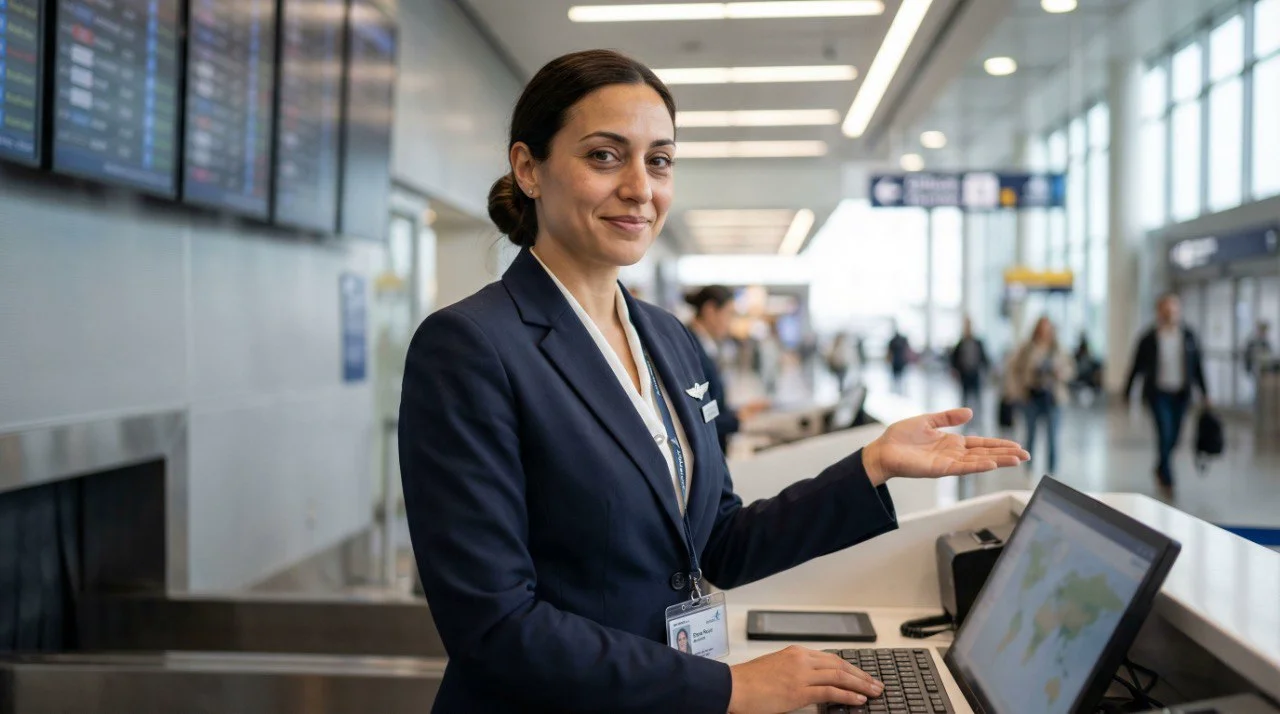
Olivia · Airport assistant
“I need wheelchair assistance before boarding.”
Flight and journey details
LY204 · A8 Terminal 1 · After security
↓
Assistance team
Request, flight details and conversation shared with the responsible team.
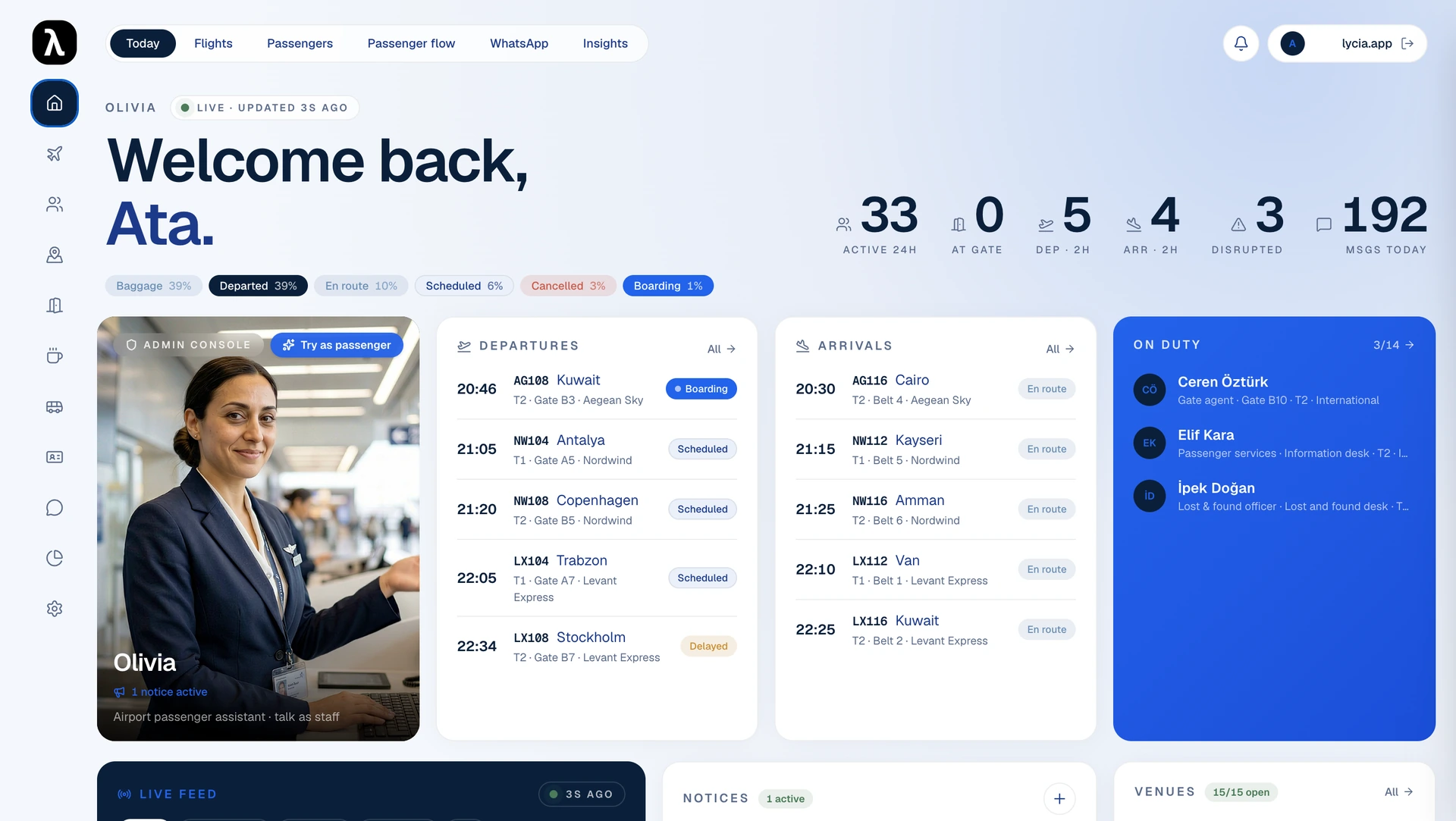
Lycia AI Airports dashboard preview. Flight status, passenger-service activity and on-duty teams in one view.
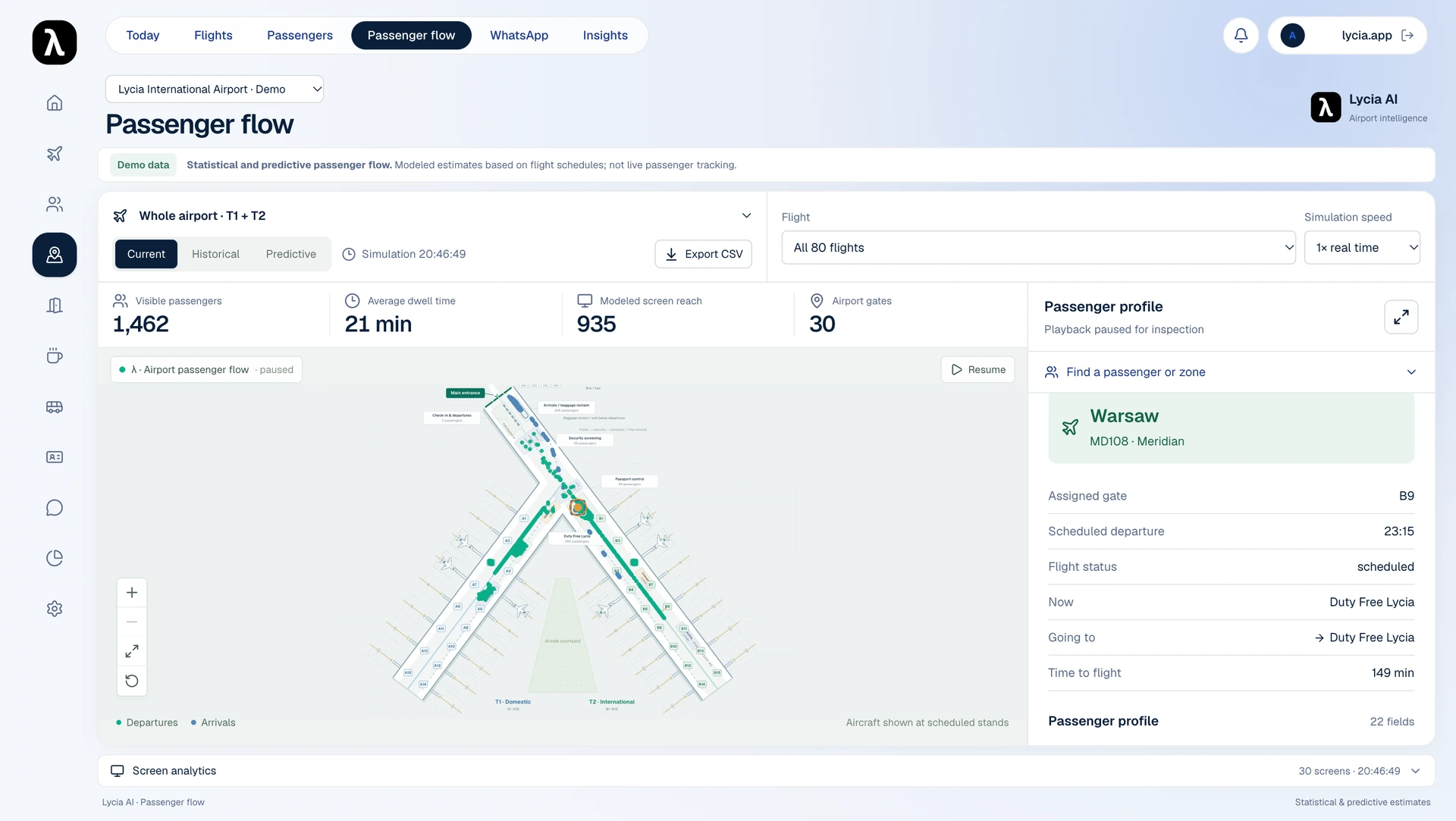
Passenger-flow dashboard preview. A schedule-based demo with illustrative movement; not live passenger tracking.
1 / 2
Connect your existing airport systems.
Bring approved information from your airport management system, flight feeds and service directory into passenger conversations and useful recommendations.
Your airport information
Flight information
AODB / FIDS interfaces
Services and venues
Directory, opening hours and accessibility
Staff workflows
Requests, updates and handoffs
→
Airport AI assistant
→
Passenger service and team support
Passenger answers
Web chat and live voice
Relevant recommendations
Lounges, dining and retail
Staff assistance
Requests with passenger context
Connections are configured and validated for each airport, including source access, update frequency and the response when information is unavailable.
Launch Lycia AI at your airport.
Build your passenger service around your airport’s systems, teams and commercial priorities. Our team helps you configure, connect and launch the right setup.
Define your airport’s requirements
Agree the passenger services, channels, participating businesses and teams your deployment will support.
Connect your existing systems
Bring your airport management software, flight feeds and service directory into approved passenger-service workflows.
Launch and improve your service
Prepare your teams for launch, keep service and campaign information current, and review the relevance of passenger recommendations.
Book a demo to see how Lycia AI can support your passengers, teams and commercial goals.
What airport teams want to know
How is Lycia different from an airport chatbot?
An FAQ chatbot answers common questions. Lycia also uses connected flight and service information, keeps the passenger’s journey context, recommends suitable services and passes assistance requests with relevant details to your team.
How does the recommendation engine support airport revenue?
Lycia combines flight timing, terminal, time before boarding, passenger interests and merchant campaign information to suggest relevant services and offers. For example, a morning flight can prompt a sandwich offer with complimentary coffee. This creates discovery and promotional opportunities. Lycia does not confirm purchases or attribute revenue to completed sales.
What information can a passenger profile include?
Flight and seat context, journey stage, stated interests, assistance flags, channel, a concise AI summary and staff notes. Access, retention and deletion rules are defined for each deployment.
Does the map track live passenger locations?
The current flow view is a schedule-based model. Its passenger dots and movement scenarios illustrate planning possibilities. Observed passenger locations or footfall require separate data sources, integrations and validation.
What does live voice support?
When enabled, passengers can continue by voice in the browser, using their language and recent chat context. They can interrupt naturally and ask follow-up questions. Microphone permission and consent are required. Phone channels and connected tools are configured and tested separately.
How does Lycia support airport operations teams?
Lycia can answer recurring passenger questions using approved information, recommend relevant services and pass assistance requests to the appropriate team with context. Your teams manage the connected information and handle requests that need human judgment.
Can Lycia connect to our airport management system?
Connections are configured for each airport. Lycia can use approved flight and service information alongside staff workflows. Access to an airport operational database (AODB) or flight information display system (FIDS), update frequency, permissions and unavailable-source handling are agreed and validated during implementation.