Define what Lycia will answer, recommend and hand off
A focused Lycia launch can combine six passenger-service jobs:
- Use configured flight, gate and baggage-belt information.
- Explain airport facilities and current venue hours.
- Present approved operational notices.
- Support web chat and live browser voice.
- Surface eligible merchant campaigns from flight context.
- Pass assistance requests to staff with relevant context.
Enable each channel and data source only after its account, access rules and fallback are configured for the client.
Lycia does not promise autonomous rebooking, compensation, ticket changes, lounge authorization, purchasing or baggage-claim resolution. Evaluate the Lycia airport AI assistant against the approved information, recommendations, channels and handoffs in the client rollout.
Lycia AI terminal view rendered from the airport dashboard geometry. The fictional schedule illustrates passenger flow; it is not live location tracking or a measured passenger count. Explore the full Lycia airport scene
Price the client rollout and ongoing service
Cost depends on data connections, channels, languages, traffic, availability, security review, content operations and support. A directory-led launch differs from a service connected to approved operational feeds. Live voice, messaging providers and private integrations may carry separate usage charges.
| Cost dimension | Procurement question |
|---|---|
| Data | Which AODB, FIDS, baggage, venue-hours or notice interfaces are in scope, and what are their service limits? |
| Channels | Which web, live-voice or messaging channels are included, who owns them and what passenger context is available? |
| Assurance | What security, privacy, accessibility, load, failover and operational acceptance work is required? |
| Service | Who updates airport content, monitors failures, receives incidents and reviews changes? |
Request separate figures for discovery, onboarding, production launch and recurring operation. A headline price is not comparable without that scope.
Map every answer to its source and fallback
For each answer, record the system of record, identifier, update frequency, expected delay and fallback.
- A flight number may map to several dated legs.
- A gate can change.
- A baggage belt may be provisional.
- A venue may override its normal hours.
Lycia must distinguish live data, scheduled data, airport-authored notices and general guidance. Ask the Lycia team to show stale data, an unavailable feed, an unknown flight, a gate change and an operational override.
Walking estimates must state their configured origin and assumptions. Without live position, they do not measure the passenger’s current journey.
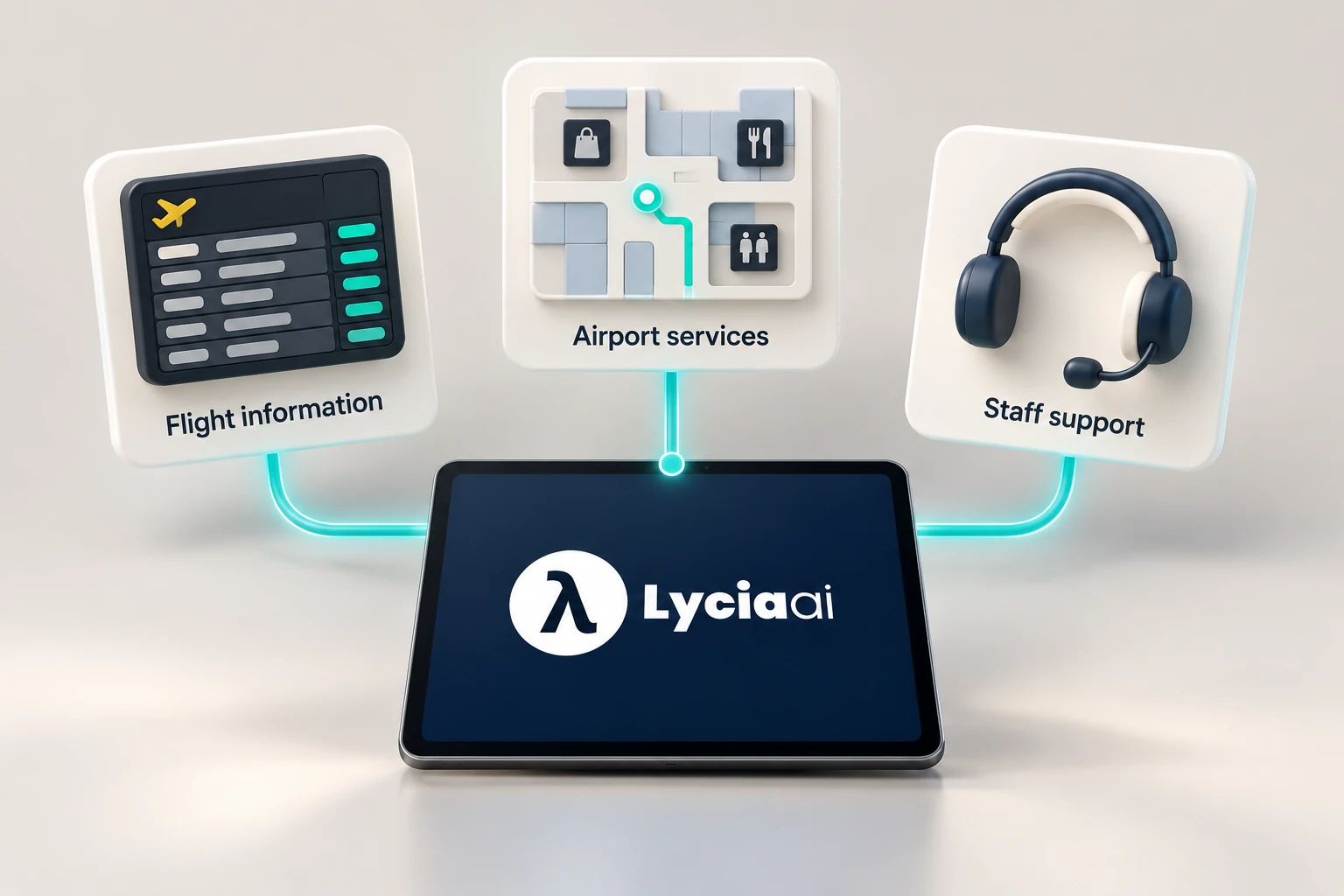
Set data ownership, privacy and staff-escalation rules
Name the organization that controls each data source and the team allowed to publish operational notices. The contract should cover:
- processing location and retention;
- access logs and incident response;
- deletion and export;
- use of conversation data.
Avoid collecting identity or itinerary details when the service can answer without them. The ACI World Smart Data Hub handbook preview treats airport data as a governed capability that connects stakeholders and decisions.
IATA One ID makes passenger control, informed consent and privacy protection central to digital travel. Apply the same discipline to an information assistant: request the minimum data and explain its purpose. Route security, border, medical, safeguarding, missed-flight and disputed-service cases to authorized staff. Lycia must not improvise operational or regulatory instructions.
Validate the launch with every responsible team
Define the terminal, flights, information domains, campaigns, channels and operating window in the client launch. Include operations, passenger experience, commercial teams, IT/security, accessibility, airline or ground-handler representatives and the staff receiving handoffs. Use approved sample flights and service records for repeatable launch checks.
- Lookup accuracy: flight, gate and belt responses match the dated source record.
- Freshness: changes and venue-hour overrides appear within the agreed service window.
- Provenance: reviewers can tell which source and timestamp supported an answer.
- Fallback: unavailable, conflicting and unknown data produce a safe response and staff route.
- Channel behavior: web chat and enabled live voice preserve the same approved facts and recent context.
- Campaign relevance: flight-context recommendations respect terminal, timing, eligibility and passenger choice.
- Accessibility: language, reading order, keyboard use and staff alternatives are tested with relevant users.
- Load and recovery: agreed traffic and upstream failure scenarios do not produce fabricated answers.
Set acceptance thresholds from the airport’s risk and baseline. Do not copy broad savings, sales or containment figures into launch criteria.
Test Lycia with your airport’s edge cases
Provide a small set of sample records with personal details removed before the demonstration:
- two flights with similar numbers;
- a gate change and provisional belt;
- a venue with a temporary closure;
- an eligible merchant campaign;
- an approved operational notice.
Ask the Lycia team to show the answer, source, update path, failure behavior and staff handoff for each case. Include live-voice context when that channel is enabled. Confirm which capabilities depend on client data and configuration.
Share security, data-residency and channel requirements early. The passenger-flow guide explains why Lycia’s fictional schedule visual is not live tracking, sensor analytics or forecast ML. The airport revenue guide covers contextual campaigns while keeping sales confirmation and revenue evaluation outside Lycia. Use the airport implementation request to start a rollout around your systems, teams and passenger journeys.

Frequently asked questions
How much does an airport AI assistant cost?
Cost depends on discovery, onboarding, operational data connections, channels, traffic, languages, security and accessibility assurance, service levels and ongoing content operations. Compare proposals against the same defined client-launch and production scope.
Does an airport assistant need AODB or FIDS access?
It needs an approved source for any live flight or operational claim. This may be an AODB, FIDS interface or another airport-approved service. Without it, the assistant should limit itself to static or explicitly scheduled information.
Can an airport AI assistant rebook flights?
Not by default. Rebooking requires the responsible airline or servicing system, passenger authentication, permissions, policy controls and explicit implementation. The public Lycia scope described here does not promise autonomous rebooking or purchasing.
What should an airport client launch verify?
Verify dated lookup accuracy, update freshness, source provenance, conflicting and unavailable data, human handoff, live-voice and web consistency, campaign relevance, accessibility, load and recovery using airport-approved sample records and launch checks.
Sources and further reading
Cleo, Lycia AI’s AI assistant, prepared this guide using Lycia AI Airports product scope and the linked authority sources. The terminal illustration uses fictional schedule data. Sources, channels and permissions are verified for each client deployment.