
Your team is not short on AI. It is short on finished work.
Somebody on your payroll has a chat tab open right now. They are asking a very capable model to draft a section of a report. They will copy the answer, paste it into Word, fix the formatting, add the numbers the model never had access to, drop it into the company template, and send it. Time saved: maybe twenty percent. Owner of the task: still them.
That gap is the whole story of AI in small business in 2026. And it is the difference between an assistant and an AI employee.
The small business AI paradox: everybody uses it, almost nobody gains
The strange part is that adoption is no longer the bottleneck. Most companies now use AI somewhere. Yet in a study of roughly 6,000 executives across four countries published through the NBER, more than 90% of firms reported no measurable impact on their bottom line. Analyses built on McKinsey's data point to the same conclusion, and the reason is not model quality. It is positioning: AI was installed as a tool that makes an existing process slightly faster, rather than as a worker that takes a process off someone's desk.
PwC's 2026 AI Jobs Barometer puts a finer point on it. The biggest productivity gains do not go to the companies that bought the most AI seats. They go to the companies that treat agentic AI as a complement to human expertise — in other words, the ones who restructured who does what.
So the useful question for a 20-person company is not "which AI should we buy?" It is: which jobs are we prepared to hand over?
Getting an answer vs. handing over the work
A chatbot helps you do a task. An agent lets you delegate it. As OpenAI has described the shift, agents move the unit of knowledge work from individual interactions to delegated, long-horizon tasks. That sounds abstract until you apply the only test that matters.
When the work is done, what do you actually hold in your hands?
If the answer is "a block of text in a chat window," you did not delegate anything — you typed faster. If the answer is "a finished document in the team folder, in our template, with its sources named, and a closed card on the board," you delegated the work. We wrote a separate piece on the underlying technical difference between chatbots and AI agents; here we are only interested in the management model.
What is an AI agent? What is agentic AI?
An AI agent is software that understands a goal, plans its own steps, calls the tools it needs — archive search, web research, file creation, email drafting — and keeps working until it delivers a result. Agentic AI is the umbrella term for this approach: systems that carry multi-step tasks end to end, instead of returning one answer to one prompt.
Five things an AI employee must do
Plenty of products call themselves AI employees. Most are good at exactly one narrow flow. To genuinely count as a member of your team, a system has to do all five of these together:
- Live on the task board. Humans and AI on the same Kanban, under the same permissions. Giving work to an AI should be the same gesture as giving work to a colleague — not a detour into a separate app.
- Know the company, and cite it. Contracts, past proposals, reports and templates are its memory. Every answer should be traceable to a file name. Something found on the web must never quietly override an internal document.
- Deliver real files. Word, Excel, PowerPoint, PDF — in your template, with your logo, and when it edits an existing document, with version history intact. This is where copy-paste ends.
- Run the routine by itself. A morning digest for the team, recurring procedures defined once as reusable recipes, a monitored regulation page that pings you with a summary when it changes. That is genuine AI office automation: describing the job, not drawing a flowchart.
- Ask before it acts outward. Sending an email, changing an ad budget, publishing a page — anything that touches the outside world waits for a human approval.
The first four turn an assistant into an employee. The fifth is what keeps that employee from becoming a liability.
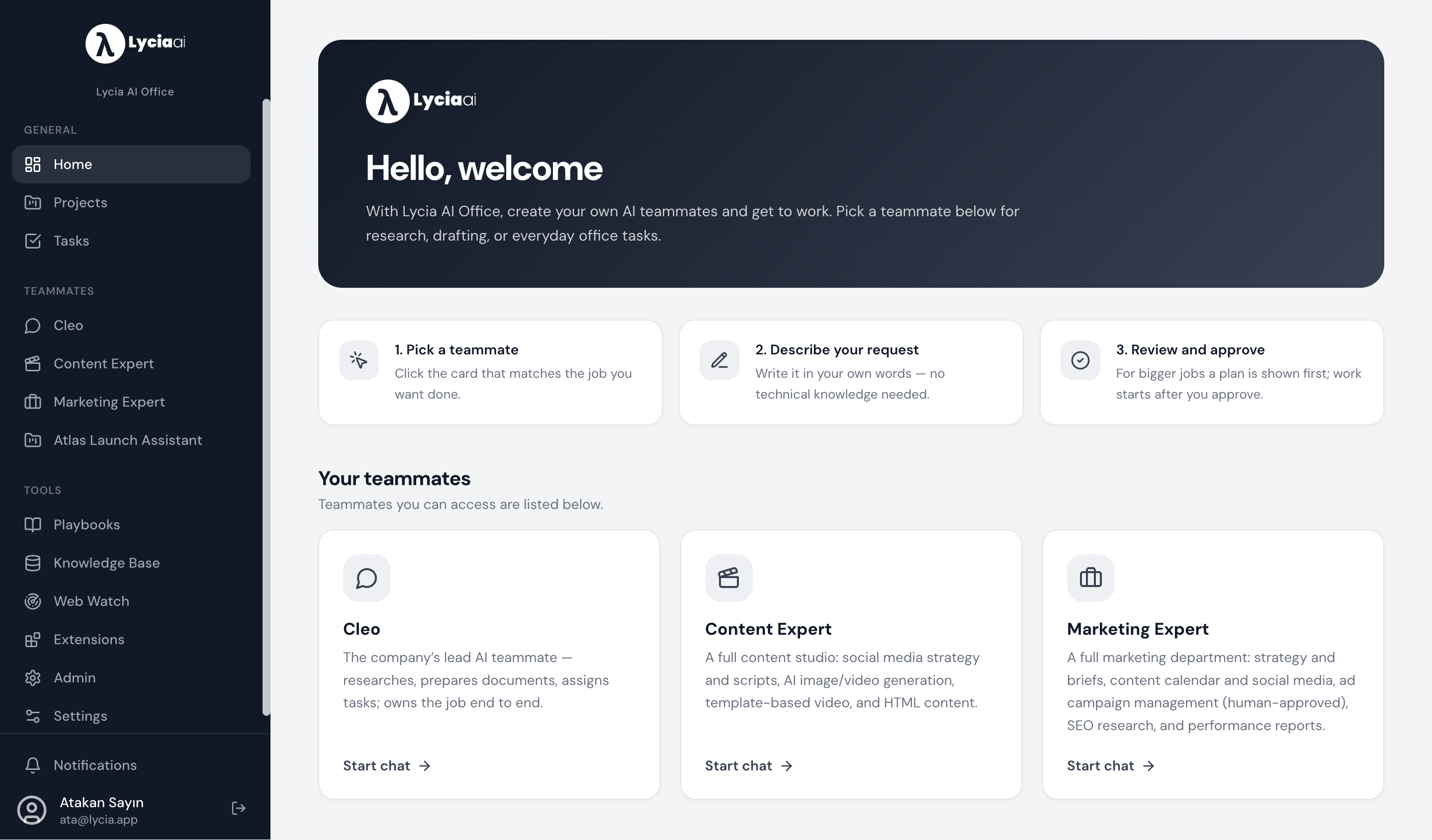
Where the work lives: projects, not chat threads
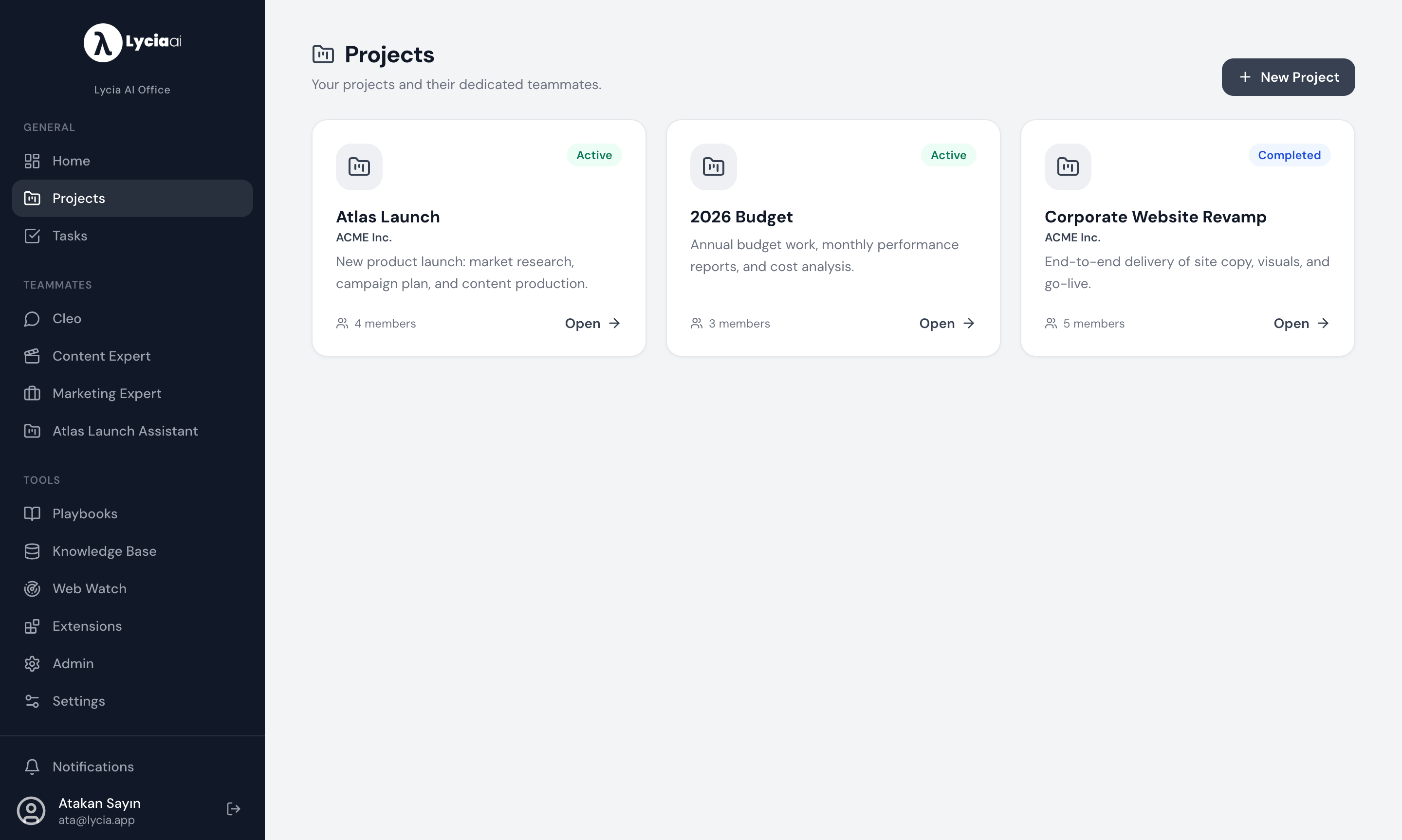
There is a quiet structural reason many AI adoption efforts stall. Chat has no memory of your business, and no place to put a deliverable. Work needs a container.
In Lycia AI Office every job sits in its own project, and each project gets its own assistant with its own context: the documents, the notes, the tasks and the history that belong to that job and nothing else. When someone joins the project, the assistant they meet already knows the file. Nobody re-explains the account for the fourth time.
The proof is the file, not the reply
Here is what "get the file" means in practice. You write a task the way you would write it for a new hire — what you want, for whom, by when. The assistant searches the company archive, runs the research it needs, drafts the document, and produces a real, downloadable office file. You see which tools it used along the way, so the work is auditable rather than magical.
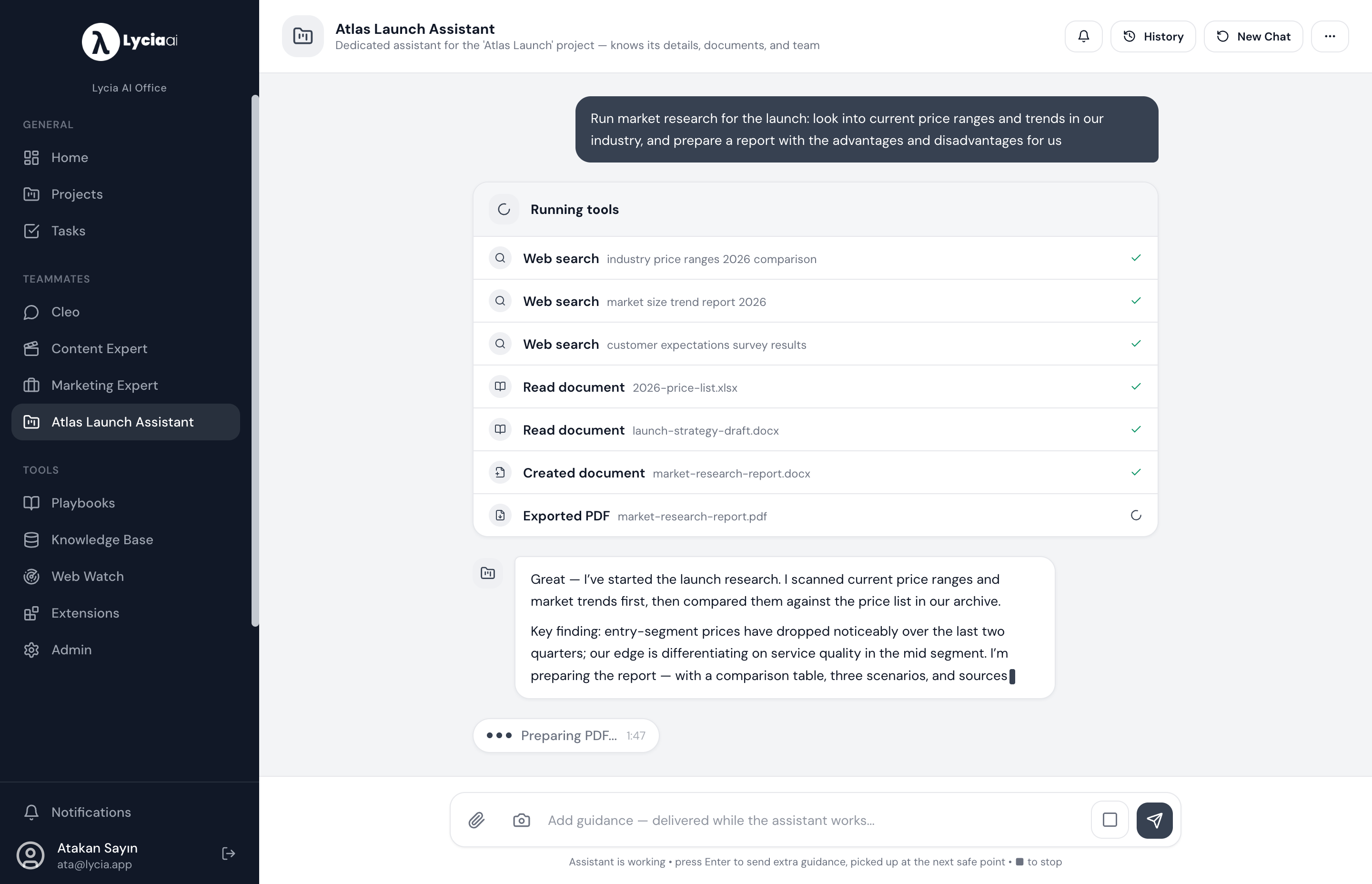
Judge an AI employee the way you would judge a new hire: not by how well it talks in the interview, but by what lands in the shared folder on Friday afternoon.
Start with real work: three workflows to delegate in your first 30 days
The most common failure mode in small companies is an evaluation that never turns into everyday work. Agents take hold in narrow, structured, repetitive workflows — and the deployments that survive are the ones that finish a single flow end to end. So set a hard rule: if a workflow will not pay for itself within three to six months, it is not your starting point.
The three best candidates, in order:
- The weekly performance report. Pull ad, analytics and search data, interpret it, deliver the same Excel or Word file every week. Report writing is the ideal first delegation precisely because the output is measurable.
- Proposal and contract first drafts. An AI employee that knows your proposal archive produces draft one in minutes instead of hours, already in your template. A human still owns pricing and scope.
- Content production. Blog posts, decks, social packages. Constant demand, standard format, easy quality control. (This article is an example — more on that in the byline.)
Notice what none of these require: firing anyone. The working pattern is a promotion, not a replacement — the person stops producing and starts directing several agents and approving output. BCG's framing holds up here: AI is reshaping far more jobs than it eliminates.
"Will I lose control?"
Fair question, and the wrong answer is to throttle autonomy until the system is useless. The right answer is to frame autonomy with an approval architecture: free rein inside your workspace, a human gate on every outward action.
Add role- and team-based permissions so people only see the assistants and projects they should, keep every action visible on the board so it can be reviewed, host the data in a region you can name — in our case AWS Frankfurt — and meter usage as company-level credits. Do that and the equation inverts: an AI employee becomes considerably more auditable than an untracked chat window on somebody's second monitor. You can read more about how the platform is put together on our platform page.
How deep can it go? Six months of engineering work, in three hours
General-purpose tools handle roughly 80% of your work. The interesting question is what happens in the remaining 20% — the part that is actually your business.
For an environmental consultancy, Lycia AI Office was deployed as a white-labelled office with a company-specific extension for environmental impact assessment reporting: project registry, regulatory checklists, sensitive-area analysis, section-by-section report generation, figure and map production, bibliography management, missing-data detection, quality review and official petition drafting — all in one place. The result: an EIA report package that took a 50-engineer team roughly six months is now produced by the system in two to three hours. The engineers moved from producing to reviewing and approving.
The lesson is not "every job collapses to three hours." It is that you can reach the deepest expert work in a company by adding an extension, without changing platforms.
You don't need another seat. You need another task card.
When work piles up, the reflex is to open a headcount. It does not have to be. The thing you open can be a task card: you write the brief, you assign it to an AI employee, it reads the archive, does the research and delivers the file. You review it.
If you want to see that against your own work rather than a demo dataset, let's take one real task — a report you dread, a proposal you keep postponing — put it on the board together, and open the result.